Pop!_OS
Best ubuntu based distro ever… Pop!_OS by System76
Change boot loader settings
Located in:
/boot/efi/loader/loader.conf
To get the boot menu to always display for two seconds during boot add the line:
timeout 2
Boot partition running out of space
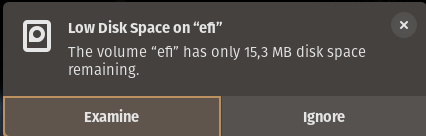
Boot partition runs out of space within months
It helps to change the initramfs compression method from zstd to xz.
sudo vi /etc/initramfs-tools/initramfs.conf
Change COMPRESS=zstd to COMPRESS=xz.
Then regenerate initramfs with this command:
sudo update-initramfs -c -k all
Rescue your install
- Boot into a recovery system (either on disk or make a USB stick)
- Launch a terminal
- Make sure your disk layout matches the commands below (run:
lsblk) - Open luks:
sudo cryptsetup luksOpen /dev/nvme0n1p3 cryptdata - Check the names of the mapped luks partition:
ls -la /dev/mapper - Mount the root partition:
sudo mount /dev/mapper/data-root /mnt - Mount the EFI partition:
sudo mount /dev/nvme0n1p1 /mnt/boot/efi - Move stuff into
/mnt:for i in /dev /dev/pts /proc /sys /run; do sudo mount -B $i /mnt$i; done - Don’t know why…
sudo cp -n /etc/resolv.conf /mnt/etc/ - Chroot into the mounted system:
sudo chroot /mnt
Go nuts! Install software… Fix shit…
When ready to try the fixes:
exit
sudo reboot